Choose a layout that fits your application
The Classic uses a centered name, a serif heading, and restrained accents. It is a straightforward starting point when you want a traditional aviation resume. The Modern uses a left-aligned name and sans-serif typography for a more contemporary look. Both keep the same pilot-specific information easy to scan.
Your choice of template does not determine your qualifications or change your experience. Pick the layout you prefer, choose an accent color, and check the actual PDF preview. Both templates are free to download, and neither adds a Final Approach watermark to your resume.
What belongs in a pilot resume template?
The most useful template is one you can fill with accurate, relevant information. Final Approach organizes your resume into five guided sections, and empty fields stay off the PDF.
- Contact details and a short professional summary, if it adds useful context.
- Flight time, including total time, pilot in command, second in command, night, cross-country, and instrument categories.
- Pilot certificates, ratings, instructor qualifications, type ratings, and relevant endorsements.
- Work experience with clear responsibilities and specific accomplishments.
- Education, flight training, or another relevant program.
Flight hours need their own place
A general-purpose resume can bury important flight-time categories in a paragraph. These templates give them a dedicated section. Enter the values from your records and leave unused categories blank. You can also list time in individual aircraft, such as a Cessna 172 or Piper PA-44.
Flight-time categories overlap, so adding every category together would give a misleading total. The builder keeps your entered total separate and never infers a certificate or qualification from your hours. Simulator time has its own field. Review each value against your logbook before exporting.
A simple path from template to PDF
Choose a template below, then add your own details in the builder. The example profile is fictional and is there to show how the layout works. Replace example information with your own records before using a resume in an application.
- Enter your contact details, flight time, and qualifications.
- Add relevant work experience and education, with your most recent experience first.
- Select US Letter or A4 and review every page of the PDF preview.
- Check your contact information and hours, then download the text-selectable PDF.
Keep the final document easy to read
Use brief, specific highlights rather than long blocks of text. A shorter resume may fit on one page; a longer career can flow onto additional pages. Follow any format or length instructions from the employer instead of forcing every application into the same page count.
Your draft stays in the browser and device where you created it. There is no account or cross-device sync. Download your finished PDF for your records, and return in the same browser when you need to update your hours.
Try a free pilot resume template
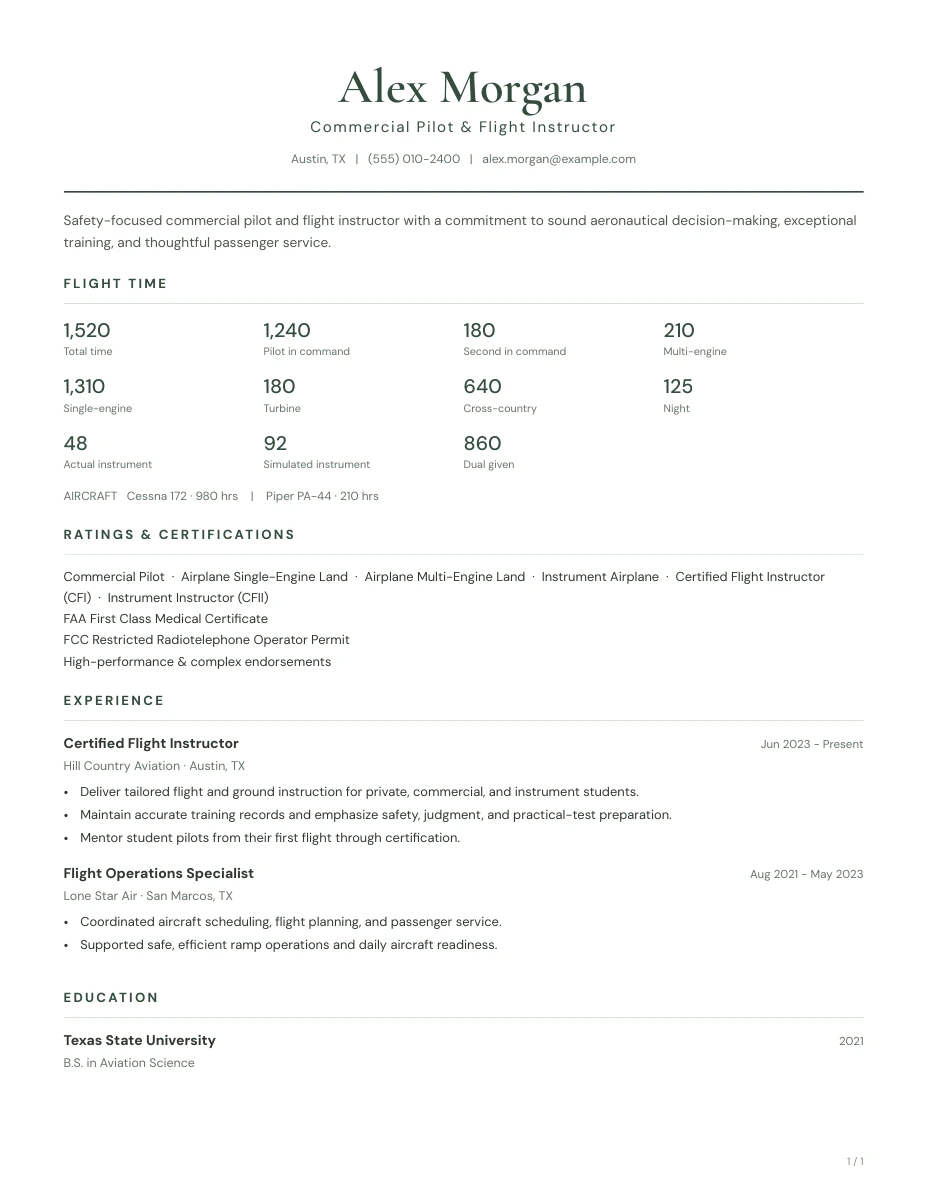
The Classic
Use this template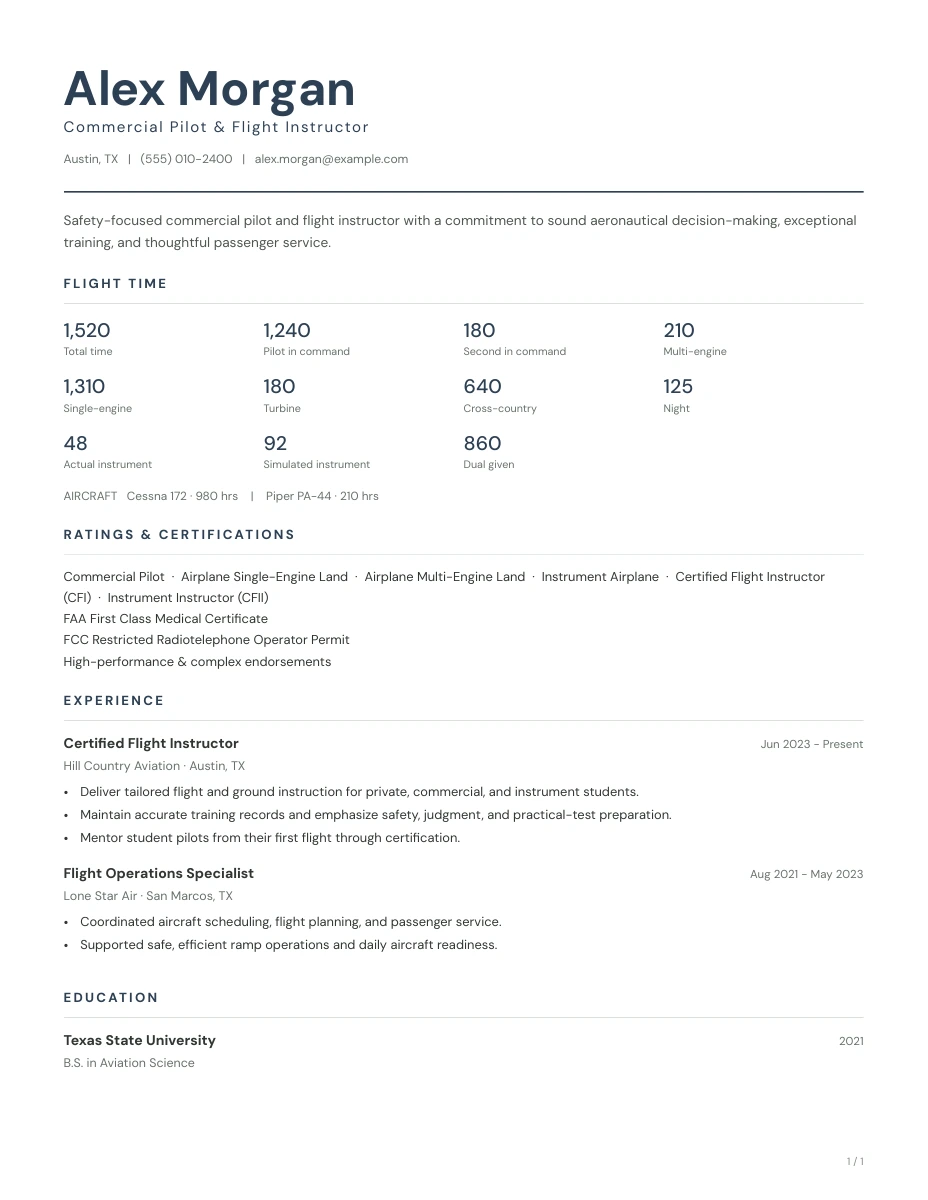
The Modern
Use this templateA few questions before you start
Can I download a pilot resume template for free?
Yes. You can use either template in the free builder and download your completed PDF without an account, payment details, or a watermark.
Can I download a Word version?
The current download format is PDF. You can edit the draft in the same browser and generate another PDF whenever your information changes.
Can I change templates after entering my information?
Yes. Switching between the Classic and Modern layouts in the builder keeps your current details. Review the PDF again after changing the layout or paper size.