Start with the employer’s application instructions
An airline may ask for information through an application form as well as a resume. Follow its current instructions for document format, required fields, and flight-time definitions. Your resume is a concise presentation of your experience, not a replacement for the employer’s application or your logbook.
Use the professional title and optional summary to describe your current background clearly. Keep company names and role descriptions accurate. If you tailor a summary to a particular employer, read it again before sending the same file elsewhere.
Make flight time easy to compare with your records
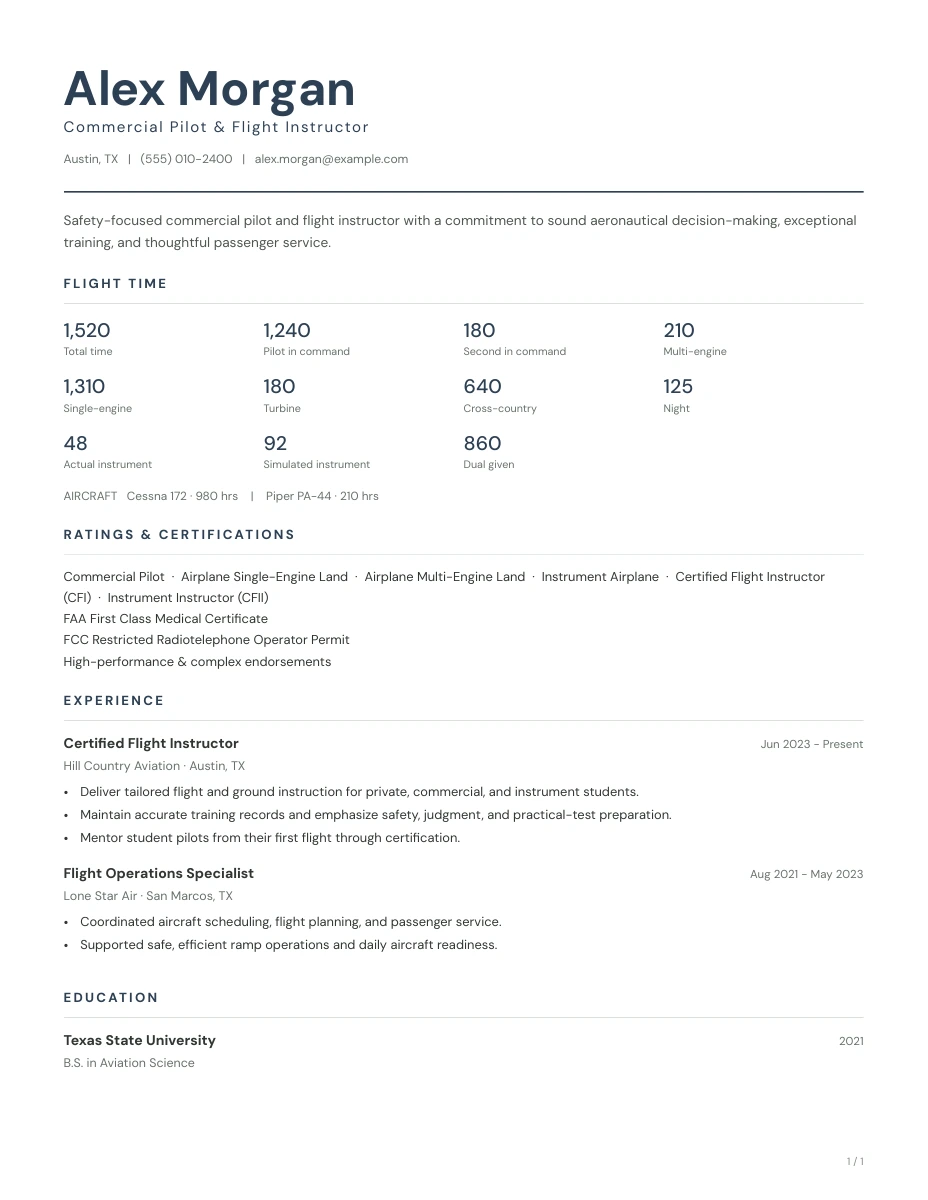
Enter the categories you need directly from your records. For many professional flying applications, total time, PIC, SIC, multi-engine, turbine, and turbine PIC provide useful context. Add other available categories when they are relevant to the requested position.
Do not estimate missing values just to fill the page. These categories may overlap and are not a set of numbers to sum. Keep simulator time separate. If the employer asks for a category or definition the builder does not capture, provide it through the employer’s requested process rather than relabeling an unrelated field.
- Use one current set of records when entering your hours.
- Check PIC and SIC entries against the classifications in those records.
- List turbine and turbine PIC separately when applicable.
- Include aircraft-specific experience when it helps explain your flying background.
- Reconcile your resume with the figures in your application before submitting.
State certificates and type ratings precisely
The builder includes ATP and R-ATP certificate options, medical class, aircraft ratings, and a free-text field for type ratings. Enter the qualifications you currently hold. Use the type-rating field to include applicable limitations, such as SIC privileges only, when those are part of your qualification.
Relevant recurrent training or additional credentials can go in the additional certifications field. A resume does not establish whether you meet an airline’s hiring criteria; check the actual position requirements and use the application process to supply any requested evidence.
Describe the work behind the flight hours
A professional experience entry should show your role, employer, location, and dates, followed by a few relevant highlights. Describe the responsibilities you actually held: flight preparation, crew coordination, aircraft operation, instruction, passenger service, or operational support.
- Coordinated flight preparation, aircraft readiness, and passenger briefings as part of a two-pilot flight crew.
- Supported crew communication and workload management during changing weather and operational conditions.
- Maintained current training and company qualifications while operating assigned aircraft.
Adapt these examples to your actual duties. Do not add an aircraft type, operating role, or outcome you cannot substantiate.
Prepare a resume you can update for the next application
Choose the Classic or Modern template, select a restrained accent color, and preview the full document. A focused resume may fit on one page; longer experience can continue onto additional pages. Follow any page-count guidance the employer provides.
Save the final PDF and keep your draft in the same browser for updates. Before sending a later version, refresh flight time, current employment, and training details. Your draft is local to the device and browser where you made it, so it will not automatically appear on another device.
A few questions before you start
Does the builder include ATP and R-ATP?
Yes. You can select Airline Transport Pilot (ATP) or Restricted Airline Transport Pilot (R-ATP) in the certificate field. Select the credential you actually hold.
Can I include type ratings and turbine PIC?
Yes. Type ratings have their own field, and Turbine PIC is a separate flight-time category. The aircraft experience section can hold individual aircraft and hours.
Will this resume guarantee an airline interview?
No. The builder helps present your information clearly. Hiring decisions depend on the employer’s requirements, your qualifications, and its selection process.