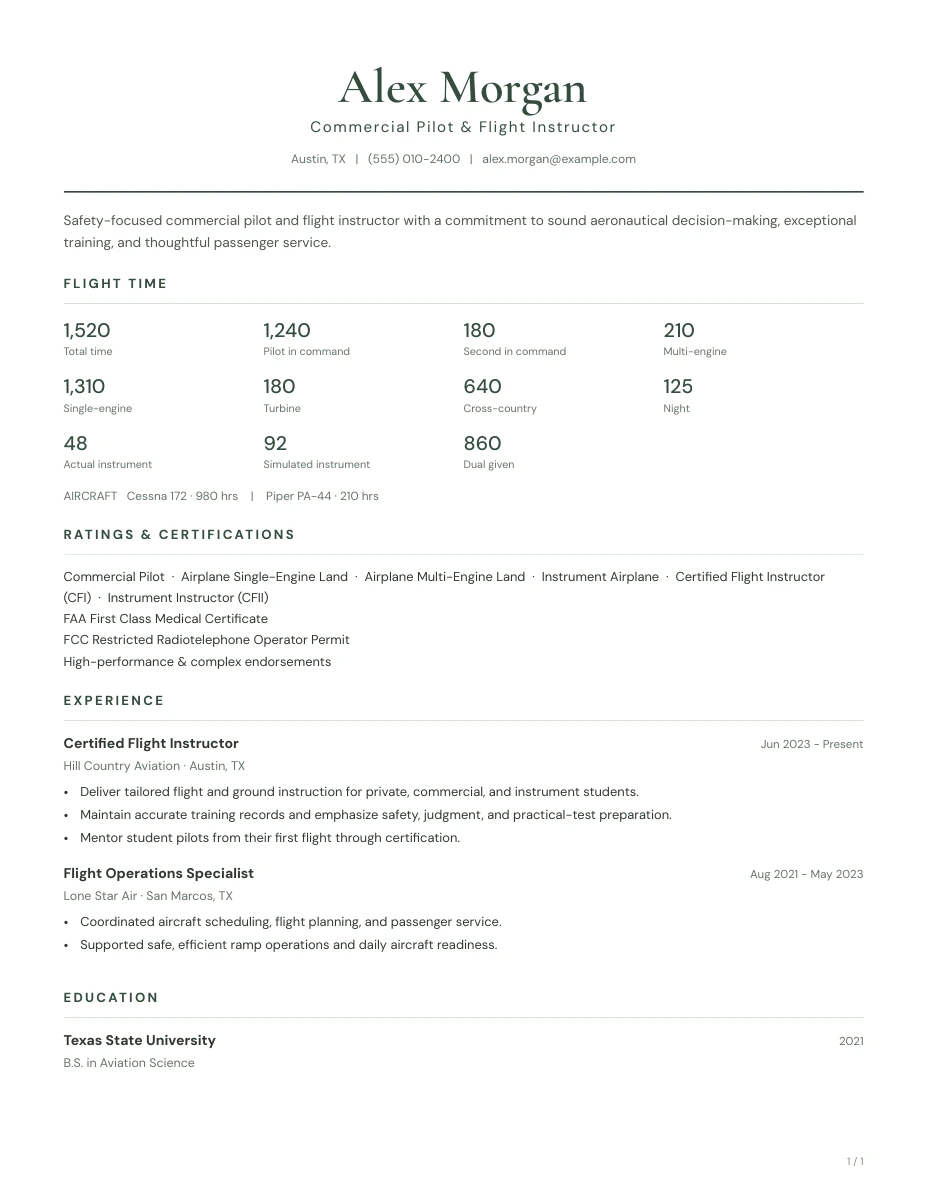
Lead with your instructor qualifications
Make your current certificates and ratings easy to find. Use your actual credential names and include applicable limitations. The builder has selections for CFI, CFII, and MEI, plus space for other qualifications and endorsements. Add the medical class you hold if it is relevant to your application.
Use the professional title field to describe the role you hold or the work you are seeking without implying a qualification you have not earned. A short summary can connect your flying background with your approach to teaching. Avoid a generic objective that could fit any instructor.
Show the flight time that supports your experience
Enter total time, PIC, dual given, and the other categories relevant to the position. Instrument or multi-engine instruction may make those categories useful to include when you have that experience. The aircraft section can show the training aircraft you know best.
Keep the hours consistent with your current records. A student lesson can contribute to multiple categories, so the builder does not add overlapping categories together. If you include a total in your summary as well as the flight-time section, update both when your logbook changes.
- Total flight time and pilot-in-command time.
- Dual given, listed separately from total time.
- Actual and simulated instrument time in their respective fields.
- Single-engine, multi-engine, cross-country, and night time when applicable.
- Time in the aircraft most relevant to the school or position.
Write teaching highlights with useful detail
Your experience section is the place to explain what you do with students. Mention the types of training you actually provide, how you prepare students, and how you keep lessons and records organized. Use outcomes only when you can support them; do not guess a checkride pass rate or invent a student count.
- Planned individualized ground and flight lessons for private pilot students, adapting sessions to each student’s progress.
- Maintained training records and endorsements while preparing students for stage checks and practical tests.
- Delivered instrument instruction with an emphasis on preparation, workload management, and sound aeronautical decisions.
These are writing examples, not claims about your experience. Use only wording that accurately describes work you have done.
New instructor? Include the experience that transfers
If you are applying for your first CFI position, your resume can still show how you work with people. Relevant teaching, tutoring, customer service, military service, or operations experience may demonstrate preparation, communication, and responsibility.
Describe that work honestly in its original context. For example, training new employees is useful experience, but it should not be presented as flight instruction. Add flight school or instructor training in education when it helps explain your preparation for the role.
Give the PDF a final instructor’s check
Review your email and phone number, the spelling of certificate and aircraft names, your dates, and every flight-hour value. Keep your most relevant instructional experience easy to scan. Enter one highlight per line and the builder will format it as a bullet.
Choose a template and paper size, then check the actual PDF preview before downloading. The builder does not verify certificates or act as a logbook; you remain the source of the information on your resume.
A few questions before you start
Can I list CFI, CFII, and MEI separately?
Yes. The qualifications section has separate selections for CFI, CFII, and MEI. Select only the credentials you hold and use the additional certifications field for other relevant details.
Where should I put dual given?
Enter it in the Dual given field in the flight-time section. Include teaching responsibilities and supported accomplishments in the experience section.
Can I use the builder before I have an instructor job?
Yes. You can include your actual qualifications, flight time, training, and relevant earlier work experience. Empty sections stay off the PDF.